
为什么选用 Spec Kit
用 Cursor、Copilot 等工具写代码时,常见做法是直接丢一句需求让 AI 开干。小改动还行,一旦涉及多文件、多服务或者需要和别人对齐方案,问题就来了:
- 同一句「加个用户认证」,不同会话上下文产出的结构完全不一样
- 需求没写清楚,AI 自己补了 OAuth、Redis、邮件验证,你其实只要邮箱密码
- 代码改完了才发现和最初的意图对不上,也没地方回溯「当时到底要做什么」
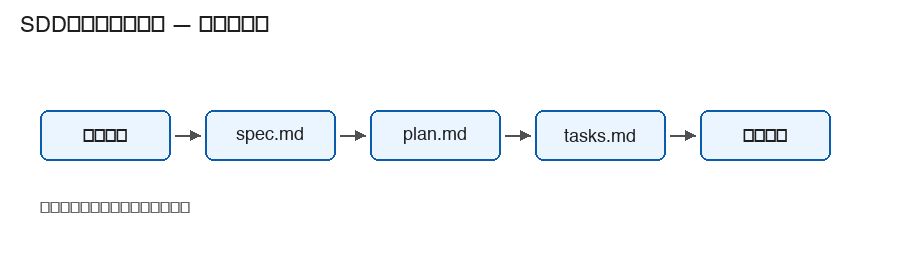
Spec Kit 是 GitHub 维护的一套 SDD(Spec-Driven Development)工具,思路很直接:先把需求、方案、任务拆成 Markdown 文件放进仓库,再让 AI 按文件执行。它不是模型,不跑推理;核心是 specify CLI + 一组 slash 命令 + shell 脚本。
用 Spec Kit 做过的内容都会保留记忆,以后的对话中会穿插那次的实际记录。
安装
依赖:Python 3.11+、uv(或 pipx)、一个 AI 编码代理、Git(用特性分支时建议装)。
# 从 GitHub 安装,vX.Y.Z 换成 Releases 页最新 tag
uv tool install specify-cli --from git+https://github.com/github/spec-kit.git@vX.Y.Z

# 新项目
specify init my-app --integration cursor-agent

# 已有仓库
cd existing-repo && specify init . --integration cursor-agent

specify --version
specify integration list
不想持久安装可以用 uvx:
uvx --from git+https://github.com/github/spec-kit.git specify init my-app --integration cursor-agent升级:specify self check && specify self upgrade
初始化后的目录
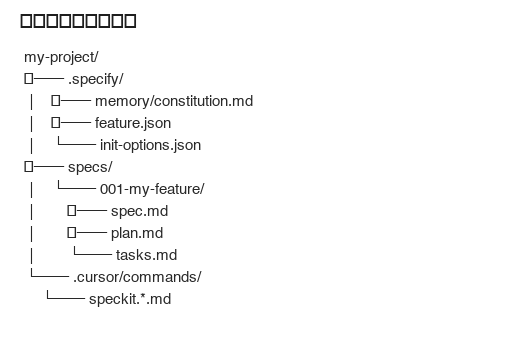
.
├── .specify/
│   ├── memory/constitution.md
│   ├── feature.json              # 当前特性
│   └── init-options.json
├── specs/
│   └── 001-my-feature/
│       ├── spec.md
│       ├── plan.md
│       └── tasks.md
└── .cursor/commands/             # 随 --integration 变化
    └── speckit.*.md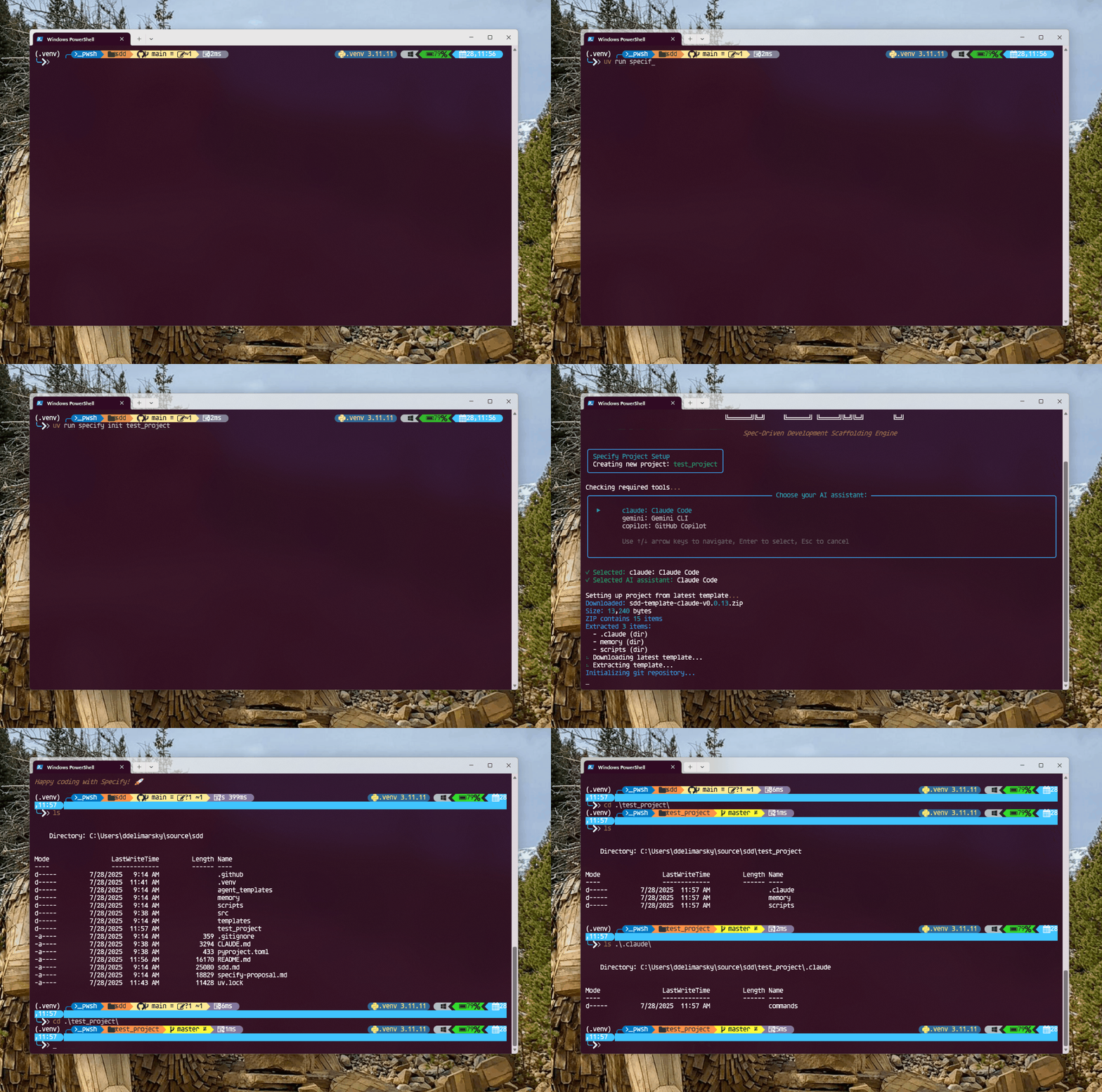
安装踩坑
| 现象 | 原因 | 处理 |
|---|---|---|
pnpm install spec-kit 失败 | 不是 npm 包 | 用 uv tool install |
PyPI 上的 specify-cli | 非官方维护 | 只从 github/spec-kit 装 |
command not found: specify | PATH 没带上 uv tool | uv tool update-shell 或重开终端 |
| slash 命令列表里没有 speckit | integration 选错 | specify init . --integration cursor-agent 重来 |
命令说明
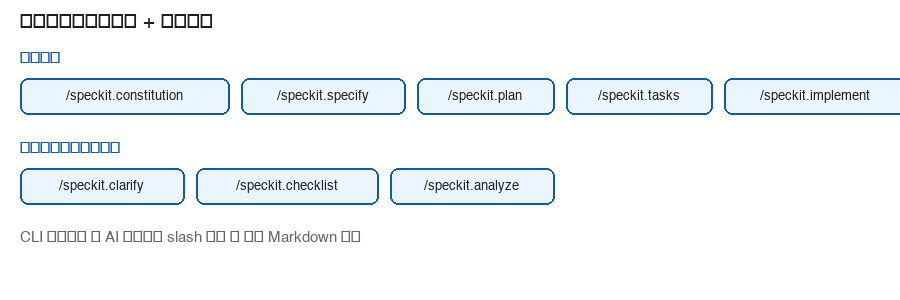
核心命令
| 命令 | 写出什么 | 备注 |
|---|---|---|
/speckit.constitution | .specify/memory/constitution.md | 项目原则,3–7 条够用 |
/speckit.specify | specs/NNN-xxx/spec.md | 只写做什么、为什么;别写技术栈 |
/speckit.plan | plan.md | 这里才定技术选型和架构 |
/speckit.tasks | tasks.md(T001…) | 每条最好带文件路径 |
/speckit.implement | 改代码 | 会先跑 check-prerequisites.sh |
/speckit.converge | 补剩余 tasks | implement 之后跑,没收敛就再 implement |
/speckit.taskstoissues | GitHub Issues | 可选 |
校验类命令(建议别省)
| 命令 | 干什么 |
|---|---|
/speckit.clarify | 需求含糊时先问清楚 |
/speckit.checklist | 检查 spec 文字是否完整——不是跑测试 |
/speckit.analyze | 看 spec / plan / tasks 有没有对不上或漏项 |
实现细节(specify):AI 从描述里抽短名(如 user-auth),create-new-feature.sh 建 specs/003-user-auth/,从模板复制 spec.md 再填内容。开了 git 扩展的话会同步建 003-user-auth 分支。
实现细节(implement):check-prerequisites.sh 确认三份文件都在,然后按 T001、T002… 顺序改。constitution 里的约束(比如必须有测试)会被 Prompt 引用。
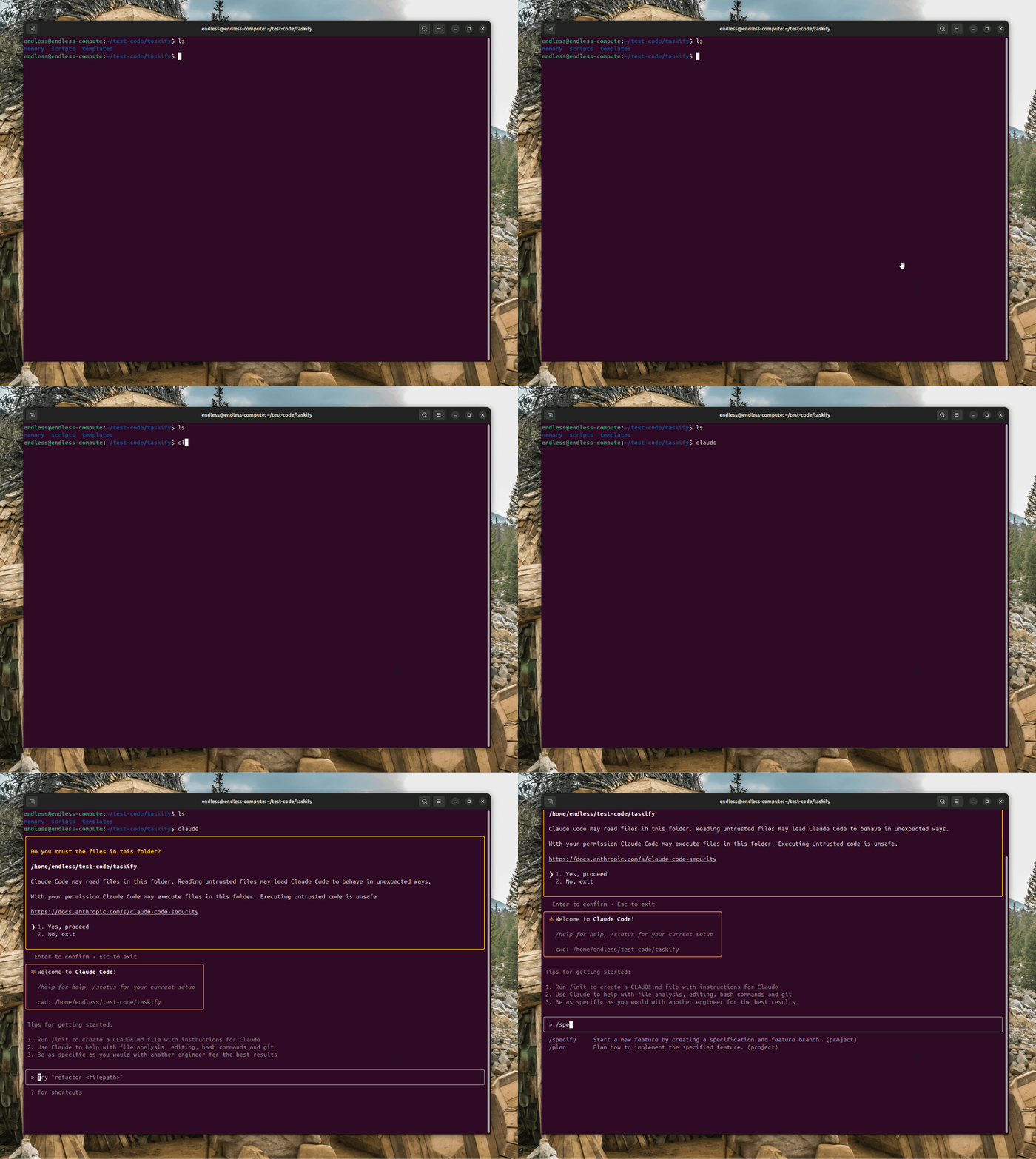
工作流
两条路,按需求复杂度选:
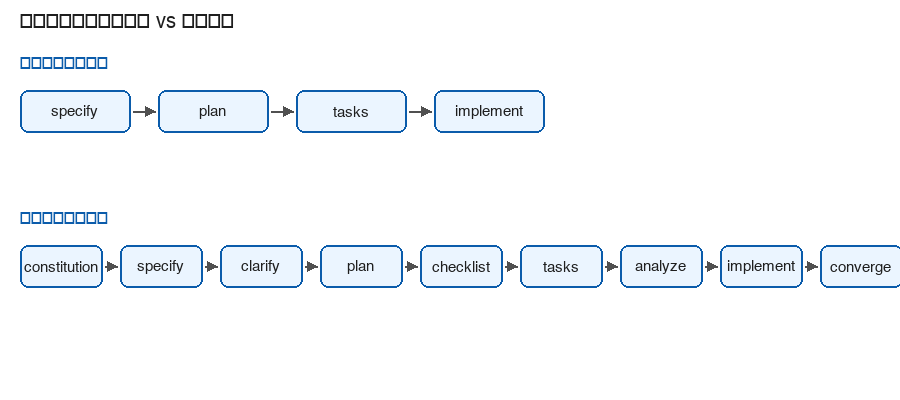
实验 / 小功能(官方 quickstart 也这么走):
/speckit.specify → /speckit.plan → /speckit.tasks → /speckit.implement正经特性(要评审、有歧义、跨服务):
/speckit.constitution
→ /speckit.specify → /speckit.clarify
→ /speckit.plan → /speckit.checklist
→ /speckit.tasks → /speckit.analyze
→ /speckit.implement → /speckit.converge
几点实操习惯:
- analyze 放在 implement 前面。事后跑只能发现问题,改 plan 的成本已经上去了。
- 特性上下文跟 Git 分支走。在
001-foo分支上,AI 应读specs/001-foo/;换分支等于换特性。 - checklist 验的是需求文档,别当成 pytest。CK 项目里生成过 40 条 functional 检查项,全是看 spec 写没写清楚。
CLI 可以串整条链路(带人工 gate):
specify workflow add speckit
specify workflow run speckit --input spec="用户认证,支持 OAuth"详细工作流演示视频:https://www.youtube.com/watch?v=a9eR1xsfvHg
什么时候用 / 什么时候别用
适合
- 新功能能写成用户故事,但要和人对齐方案
- 本地项目仓库加模块:只为下一个特性建
specs/NNN-xxx/,别试图一次 spec 全库 - Monorepo 跨多个服务:tasks 带路径,analyze 能提前暴露「依赖服务没写进 plan」这类问题
不适合
- 改一行配置、写个一次性脚本——直接改,或写
AGENTS.md规则 - 分钟级 hotfix——先修,事后补 spec
- 没有 AI 代理的环境——Spec Kit 只装 Prompt,没人执行就没意义
注意事项(简表)
| 类别 | 记住这些 |
|---|---|
| 流程 | specify 不写技术栈;analyze 在 implement 前;converge 跑完再收工 |
| 人工 | implement 的 diff 要 review;analyze 给线索,根因自己确认 |
| 制品 | tasks 别写「优化性能」这种空话;需求变了先改 spec 再改 plan |
| 安全 | 别把密钥写进 spec;制品会 commit |
implement 不能替代 code review,和用 Cursor 审 PR 是一个道理。
常见问题
| 问题 | 处理 |
|---|---|
| implement 报 prerequisites 失败 | spec / plan / tasks 没齐,按顺序补命令 |
| slash 命令不出现 | 检查 --integration 是否匹配当前 IDE |
| 特性目录编号乱了 | 看 .specify/init-options.json 里 feature_numbering |
| Windows 脚本执行失败 | specify init . --script ps |